Description:
Morph UI is a React component collection that animates state changes through the browser View Transition API and React’s ViewTransition.
The copy-paste TSX components use shared CSS motion classes, with no animation-library dependency.
Preview
How To Use It
Copy src/registry/morph.css next to your global stylesheet and import it after Tailwind:
@import "tailwindcss";
@import "./morph.css";
Copy a component’s TSX source into your components/ directory. For the example below, copy src/registry/number-flip.tsx to components/number-flip.tsx.
Basic Usage: Animate a Number Change
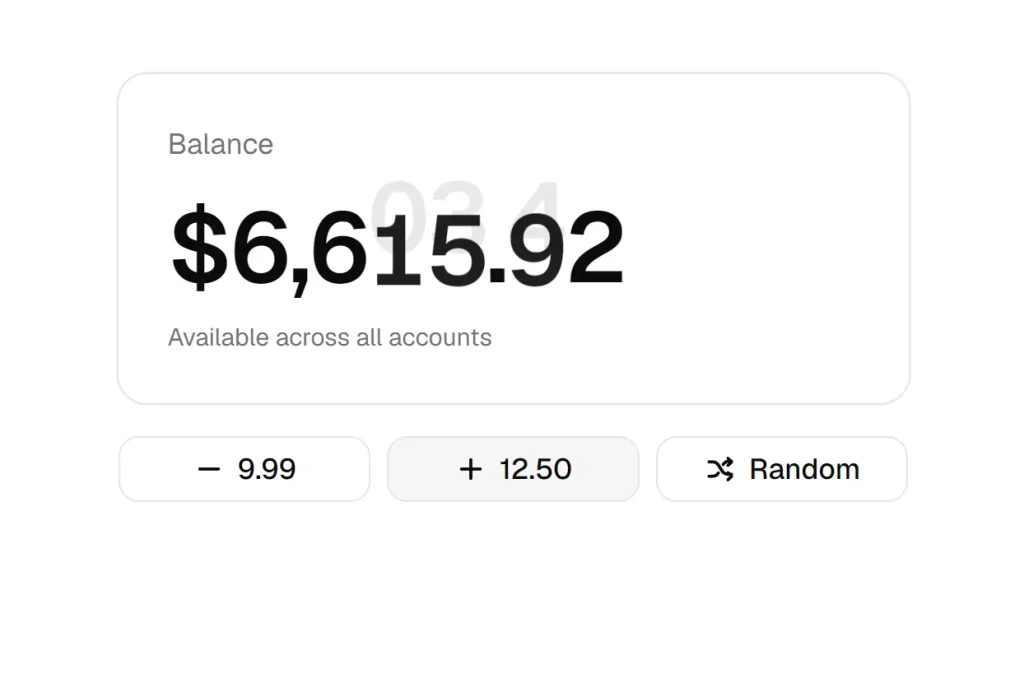
Trigger the state change inside startTransition. The copied NumberFlip component formats the value with en-US grouping and decimal places, then animates changed digit snapshots.
"use client";
import { startTransition, useState } from "react";
import { NumberFlip } from "@/components/number-flip";
export function Balance() {
  const [balance, setBalance] = useState(6578.42);
  function addCredit() {
    document.activeViewTransition?.skipTransition();
    startTransition(() => {
      setBalance((value) => Math.round((value + 12.5) * 100) / 100);
    });
  }
  return (
    <div className="space-y-4">
      <p className="text-4xl tabular-nums">
        $<NumberFlip value={balance} fractionDigits={2} stagger />
      </p>
      <button type="button" onClick={addCredit}>
        Add $12.50
      </button>
    </div>
  );
}
Available UI Components
| Group | Components | Interaction |
|---|---|---|
| Morphs | Post List, Dynamic Island, Morphing Popover, Morph Dialog, Mini Player, Number Flip | Expand cards and controls, reveal content, or roll changed digits |
| Lists | Animated List, Photo Grid, List Switcher, Empty State | Animate insertion, removal, rearrangement, and layout changes |
| Navigation | Tabs, Carousel, Step Wizard, Stack Navigator, Page Transition | Move between panels, steps, and page-like views |
State Updates and Transition Boundaries
ViewTransition marks the content that needs snapshots. The component’s CSS classes define movement, blur, clipping, entry, and exit effects. Wrap updates in startTransition; components with direction-specific behavior also use addTransitionType to select the appropriate class mapping.
Keep controls that must remain clickable during an animation outside the snapshot boundary. The shared stylesheet disables the root page snapshot and pointer events on the transition overlay. Keep these rules when extracting component-specific CSS.
When copying a component, retain its transition names, keys, and state-update helpers. Stable item keys and matching names connect the before and after snapshots in list and shared-element interactions.
Tune the CSS Motion
--vt-move controls moves and resizes; --vt-exit, --vt-enter, and --vt-enter-delay control content changes. The stylesheet also exposes easing, slow-morph, swipe, push, radius, and card-color variables.
Use a component page’s CSS tab when you only need that component’s rules. Preserve its reduced-motion rules and shared snapshot behavior.
Animation requires browser support for view-transition types and classes. On browsers without those features, the UI updates with no view-transition animation.
Override motion variables in your global CSS:
:root {
  --vt-move: 320ms;
  --vt-exit: 120ms;
  --vt-enter: 180ms;
  --vt-enter-delay: 60ms;
  --vt-stagger: 25ms;
}