Description:
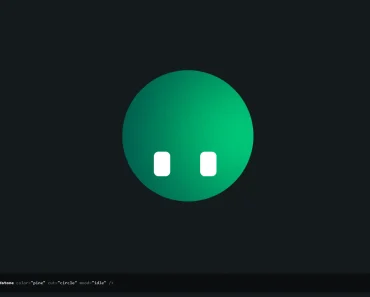
robot-heads is a React avatar component that displays an agent’s activity through an animated robot face.
It draws a rotating, shaded TV-style head on a 2D canvas, with LED expressions and an antenna light that change with the supplied state.
Preview

Install
Install the package with NPM
npm install robot-headsConnect the avatar to agent status
Pass the agent’s current activity into state:
import { RobotHead } from 'robot-heads';
type AgentStatus = 'idle' | 'thinking' | 'speaking';
export function AgentAvatar({ status }: { status: AgentStatus }) {
  return (
    <RobotHead
      state={status}
      shape="rectangle"
      size={160}
      color="#2b49a3"
      aria-label={`Assistant status: ${status}`}
    />
  );
}
States and expressions
| State | Face and motion |
|---|---|
idle | Blinking eyes, glances, and occasional hops |
thinking | Upward-looking eyes, pulsing dots, and an amber antenna light |
searching | A scanning beam, side-to-side movement, and a cyan light |
listening | An equalizer face, small nods, and a green light |
speaking | An animated mouth and talking motion |
working | A progress-bar face and busy head movement |
happy | Smiling eyes and bouncing hops |
error | Red cross-shaped eyes, head shaking, and a blinking red light |
sleeping | Closed eyes, rising sleep characters, and slow breathing |
Customize the head
| Prop | Default | Purpose |
|---|---|---|
model | tv | Robot model; tv is the available value |
state | idle | One of the nine activity states above |
shape | rectangle | rectangle, square, circle, or hexagon |
size | 160 | Resting layout box in pixels |
color | #2b49a3 | Shell color |
trimColor | #93a6c8 | Ears and antenna collar color |
screenColor | #e8f2ff | LED color |
speed | 1 | Animation speed multiplier |
paused | false | Draws the selected state’s still pose |
interactive | true | Pointer tracking and click-triggered hops |
antenna | true | Antenna stem and light visibility |
floorShadow | true | Shadow beneath the head |
seed | Generated per instance | Value from 0 to 1 that offsets blinks and glances |
className, style | Unset | CSS classes and styles on the wrapper |
ref | Unset | Ref to the inner HTMLCanvasElement |
Compact status avatars
For compact status lists, remove the antenna stem and disable pointer play.
Give each avatar a different seed so their idle movements do not synchronize:
import { RobotHead } from 'robot-heads';
export function WorkerAvatars() {
  return (
    <div style={{ display: 'flex', gap: 24 }}>
      <RobotHead state="working" shape="square" size={64}
        antenna={false} interactive={false} seed={0.2} />
      <RobotHead state="searching" shape="hexagon" size={64}
        antenna={false} interactive={false} seed={0.7} />
    </div>
  );
}
Layout and motion behavior
The wrapper occupies a size by size box. Hops, glow, and the floor shadow extend beyond it. Leave room around the avatar, and avoid a tightly clipped parent with overflow: hidden.
Every head shares an animation loop. The loop sleeps while the browser tab is hidden, and heads with matching shapes and sizes reuse baked textures.
Reduced-motion preferences select a still pose. Pass paused to stop animation explicitly. The wrapper has an image role and a state-based accessible label; override aria-label when the surrounding task needs a more specific description.
Standard attributes and event handlers pass to the wrapper. A forwarded ref reaches the canvas. The package also exports robotHeadShapes and robotHeadStates for controls that need the available values.