Description:
@pheralb/toast is a lightweight, accessible, and customizable toast component library built with TypeScript for React applications.
It is perfect for any project requiring notifications to update users on system events, tasks, or error states.
Features
- Minimal Bundle Size: Keeps your application performant with a small footprint
- Accessibility Support: Built with ARIA standards for inclusive user experiences
- Automatic Theme Detection: Supports light, dark, and system color schemes
- Smart Hover Behavior: Pauses automatic dismissal when users interact
- Flexible Positioning: Six customizable positions for toast placement
- Respects User Preferences: Adapts to system-level animation settings
- TypeScript Integration: Full type safety with built-in TypeScript support
Use Cases
- Form Submission Feedback: Provide real-time feedback to users upon successful form submission, indicating whether the operation was successful or if errors occurred. For instance, a success toast could appear after a user successfully updates their profile.
- Asynchronous Operation Notifications: Display toasts to inform users about the progress of asynchronous operations, such as file uploads or API calls. A loading toast could be shown while fetching data, then replaced with a success or error toast upon completion.
- Real-time Updates: Inform users about real-time events, such as new messages, notifications, or data changes. Imagine a chat application using toasts for incoming messages.
- User Onboarding: Guide users through your application’s interface with helpful tips and hints displayed as toasts. For example, a toast could highlight a new feature on first use.
- Error Handling: Communicate error messages to users in a non-intrusive way. If a login attempt fails, an error toast can explain the issue to the user.
Installation
Using your preferred package manager:
# npm
npm install @pheralb/toast
# pnpm
pnpm add @pheralb/toast
# yarn
yarn install @pheralb/toast
Next, add the Toaster component to your application’s root:
// root.tsx
import { Toaster } from '@pheralb/toast';
ReactDOM.createRoot(document.getElementById('root')!).render(
  <React.StrictMode>
    <App />
    <Toaster />
  </React.StrictMode>
);
Usage
Import the toast function and use it to display toasts:
// index.tsx
import { toast } from '@pheralb/toast';
export default function Index() {
  return (
    <button onClick={() => toast.success({ text: 'Success!', description: 'Success Toast' })}>
      Show Success Toast
    </button>
  );
}
Available Props for <Toaster />
The <Toaster /> component includes these customization options:
- theme: Sets the overall theme (default: system) – options are ‘light’, ‘dark’, or ‘system’.
- maxToasts: Controls the maximum number of toasts displayed at once.
- position: Defines where to display the toast on the screen – options include ‘top-left’, ‘top-right’, ‘top-center’, ‘bottom-left’, ‘bottom-right’ or ‘bottom-center’.
- toastFont: Sets the font style for all toast messages.
Toast Variants
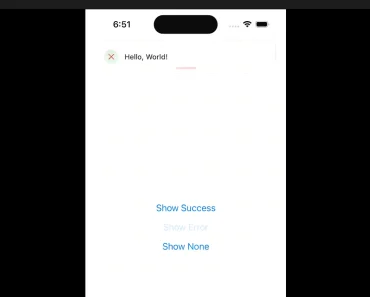
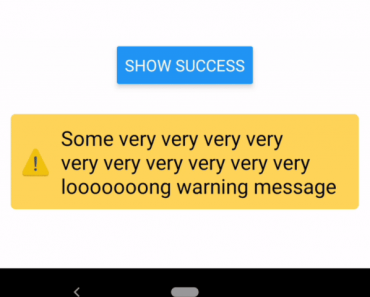
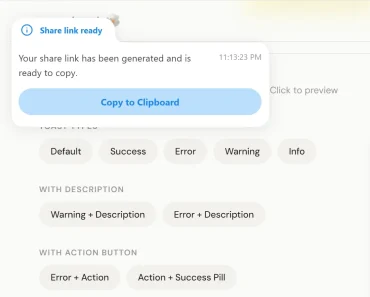
The toast function offers various methods for different toast types (success, error, warning, info, loading) and accepts customizable options like text, description, icon, duration, and action.
FAQ
Q: Does @pheralb/toast support server-side rendering?
A: Yes, the library works with SSR frameworks like Next.js and Remix.
Q: Can I customize the animation duration?
A: Yes, use the delayDuration prop to adjust the toast display time.
Q: Does the library support RTL languages?
A: Yes, the positioning system automatically adapts to RTL layouts.
Preview