A Rich Text Editor (RTE) is a WYSIWYG (What You See Is What You Get) editor which presents a text area where the user can type, markup, and interact with their content. Allowing users to format their content via the standard shortcut keys has become a common practice in RTEs.
I have used many React.js rich text editors for my work and learning. Most of them are complicated and time-consuming. So I evaluated 30+ React rich text editors and list here the 10 best options that help you enhance the rich-text editing experience in your React.js application. All of them are open source. Enjoy.
Last Updated: Dec 04, 2025
1. Tiptap Editor
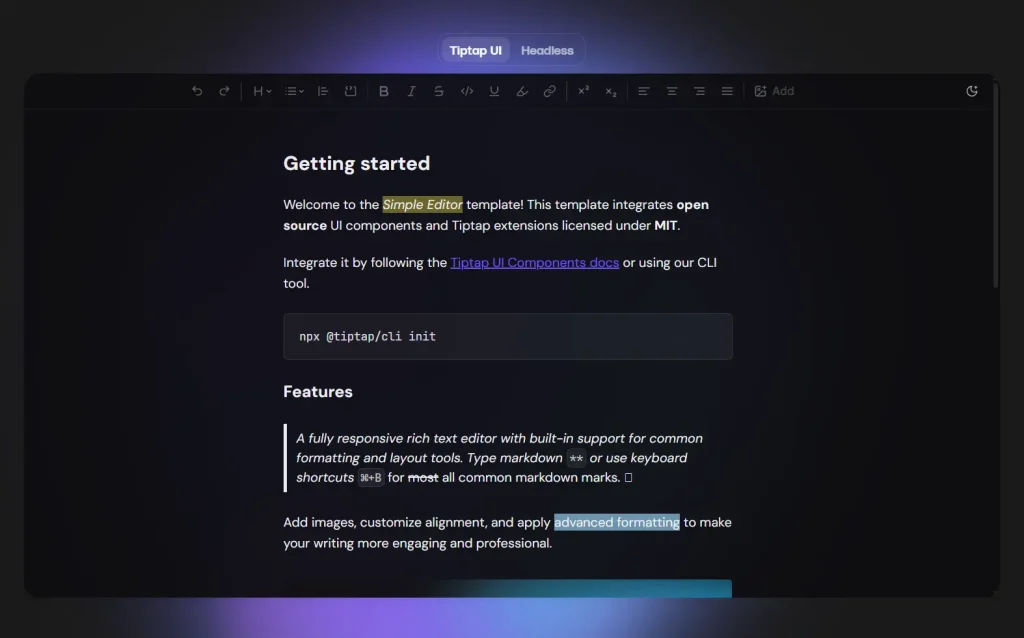
Tiptap is a headless rich-text editor framework built on top of ProseMirror, designed for developers to create highly customizable editors. For React users, Tiptap offers a powerful and flexible way to integrate rich-text editing capabilities into their applications.
Features:
- Headless architecture: Tiptap provides the core editing functionality without dictating the UI. This allows React developers to build entirely custom user interfaces using their preferred React components and styling libraries (e.g., Tailwind CSS, Material UI).
- Extensibility: Tiptap’s functionality is built around “extensions.” These are modular pieces of code that add specific features like bolding, italics, headings, lists, images, tables, and more. React users can leverage a wide range of open-source extensions or create their own to meet specific project requirements.
- ProseMirror foundation: Being built on ProseMirror, Tiptap inherits its robust and battle-tested foundation for rich-text editing, including features like real-time collaboration and version history.
- React integration: Tiptap provides specific bindings and components that make it easy to integrate with React applications, allowing developers to manage editor state and interactions within the React ecosystem.
- Customization and control: The headless nature and extensive API give React developers fine-grained control over every aspect of the editor’s behavior and appearance, making it suitable for complex and unique editing experiences.
2. Slate React

Slate Editor, for React users, is a framework for building customizable rich text editors within React applications. It is not a ready-to-use editor with pre-built UI components, but rather a powerful foundation that allows developers to create editors tailored to their specific needs.
Features:
- Built with React: Slate integrates seamlessly into React applications, leveraging React’s component-based architecture for rendering and managing the editor’s UI.
- Highly Customizable: Unlike some other rich text editor libraries, Slate emphasizes a plugin-first architecture and a schema-less core. This allows for extensive customization of document structure, rendering, and behavior, enabling the creation of editors similar to those found in applications like Medium or Google Docs.
- Plugin-driven Logic: The core editor logic itself is implemented as a plugin in Slate. This means developers can override or extend any aspect of the editor’s functionality through custom plugins, providing maximum flexibility.
- DOM-based Data Model: Slate’s data model closely mirrors the Document Object Model (DOM), using a nested tree structure for representing documents and supporting standard DOM concepts like selections and ranges. This makes it possible to implement complex features like tables or nested block quotes.
- Collaboration-ready: The data model and the way operations are applied in Slate are designed to facilitate the integration of collaborative editing features.
- Focus on Core Functionality: Slate provides the foundational elements for building an editor but does not include built-in visual components like toolbars or default undo/redo functionality. This allows developers to design and implement their own UI and features according to their application’s requirements.
3. Tinymce Editor
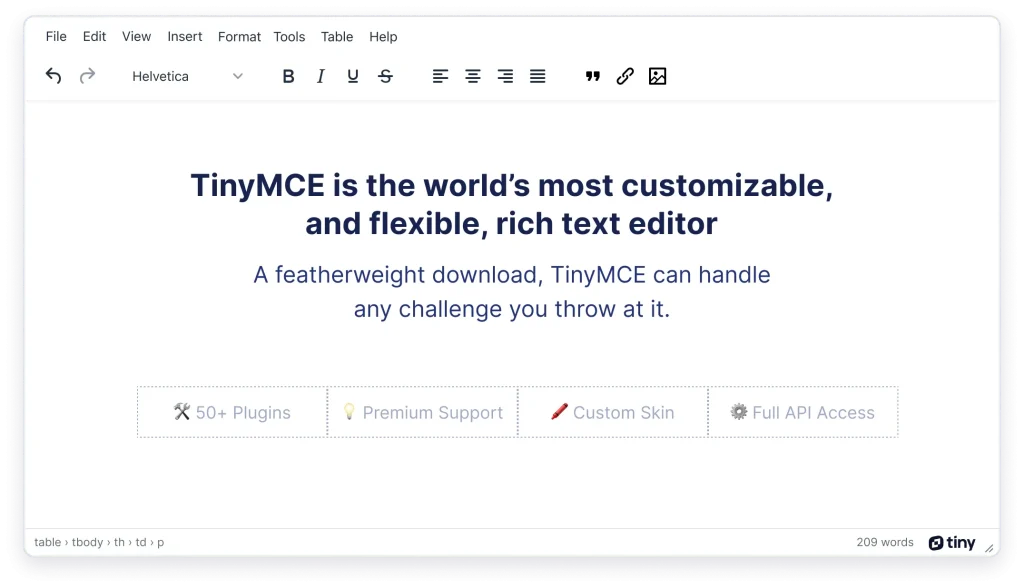
TinyMCE is a widely used, open-source JavaScript rich text editor (RTE) that allows users to create and edit formatted content directly within web applications. It offers a dedicated and officially supported React component, making its integration into React projects straightforward.
Features:
- WYSIWYG Editing: TinyMCE provides a “What You See Is What You Get” (WYSIWYG) interface, meaning the content displayed in the editor closely resembles how it will appear when rendered in the final application.
- Easy Integration: The official TinyMCE React component simplifies the process of adding the editor to React applications, often requiring only a few lines of code and standard
npmoryarnpackage installation. - Rich Feature Set: It comes with a comprehensive set of features for content creation, including text formatting (bold, italics, fonts), lists, tables, links, image and media handling, and more.
- Customization and Plugins: TinyMCE is highly customizable through configuration options and a vast ecosystem of plugins (both free and paid) that extend its functionality, offering features like AI assistance, PDF/Word export, revision history, and accessibility checkers.
- Versatility: It is suitable for various applications where rich text input is needed, such as content management systems (CMS), blog platforms, email editors, forums, and online document editors.
4. Plate

Plate is a headless, open-source rich-text editor framework for React applications, built to help developers create highly customizable editors. It uses a modular, plugin-driven architecture based on Slate.js and provides a foundation for features like AI-powered content generation, collaborative editing, and rich media embedding.
Features:
- Plugin-driven: Plate is built around a plugin system, allowing developers to add and configure features like formatting, blocks, and AI integration.
- Headless architecture: It provides unstyled, accessible UI primitives (components) that you can use to build a completely customized look and feel for your editor.
- React-based: It is specifically designed for React applications, making it easy to integrate into existing projects.
- AI integration: Plate includes features for AI-powered content generation and can integrate with other AI tools.
- Modular and extensible: You can build everything from a basic text editor to a sophisticated, Notion-style platform.
- Built-in and pre-built components: Plate offers pre-built components and plugins, including those from shadcn/ui and Radix UI, which can be used to create a modern editing experience.
5. BlockNote

BlockNote is an open-source, block-based rich text editor specifically designed for React applications. It provides a Notion-style editing experience, organizing content into distinct “blocks” that can be easily manipulated, such as paragraphs, headings, lists, code blocks, and more.
Features:
- Block-Based Design: Documents are structured as a collection of blocks, allowing for intuitive organization and manipulation of content through features like drag-and-drop and slash commands for insertion or transformation.
- Built on Industry Standards: It leverages established technologies like ProseMirror for its core editing capabilities and Yjs for real-time collaborative editing, ensuring a robust and well-tested foundation.
- React Integration: BlockNote offers a declarative API specifically tailored for React, enabling seamless integration with React’s component model and state management patterns.
- Rich Text Formatting: It supports a wide range of rich text formatting options, including bold, italic, underline, strikethrough, and various inline content types like links and mentions.
- Extensibility: BlockNote is designed to be extensible, allowing developers to create custom blocks, schemas, and plugins to tailor the editor’s functionality to their specific needs.
- Collaboration Features: With built-in support for real-time collaboration via Yjs, it facilitates multi-user editing experiences, similar to tools like Google Docs or Notion.
- AI Integration: BlockNote also offers features for integrating AI capabilities, allowing for interaction with large language models to enhance content creation and manipulation within the editor.
6. React Draft Wysiwyg Editor
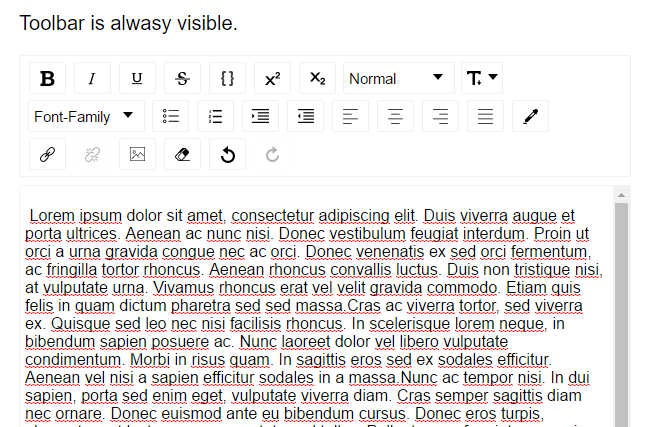
A Wysiwyg editor built using ReactJS and DeaftJS libraries.
Features:
- Support for inline styles: Bold, Italic, Underline, StrikeThrough, Code, Superscript, Subscript.
- Support for block styles: Paragraph, H1 – H6, Blockquote.
- Support for font-size, font-family.
- Support for nested indenting.
- Support for coloring text or background.
- Support for text alignment.
- Support for adding / editing links.
- Support for adding / uploading images.
- Support for configuring visibility of toolbar.
- Support for removing styles applied.
- Configurable toolbar.
7. MDXEditor
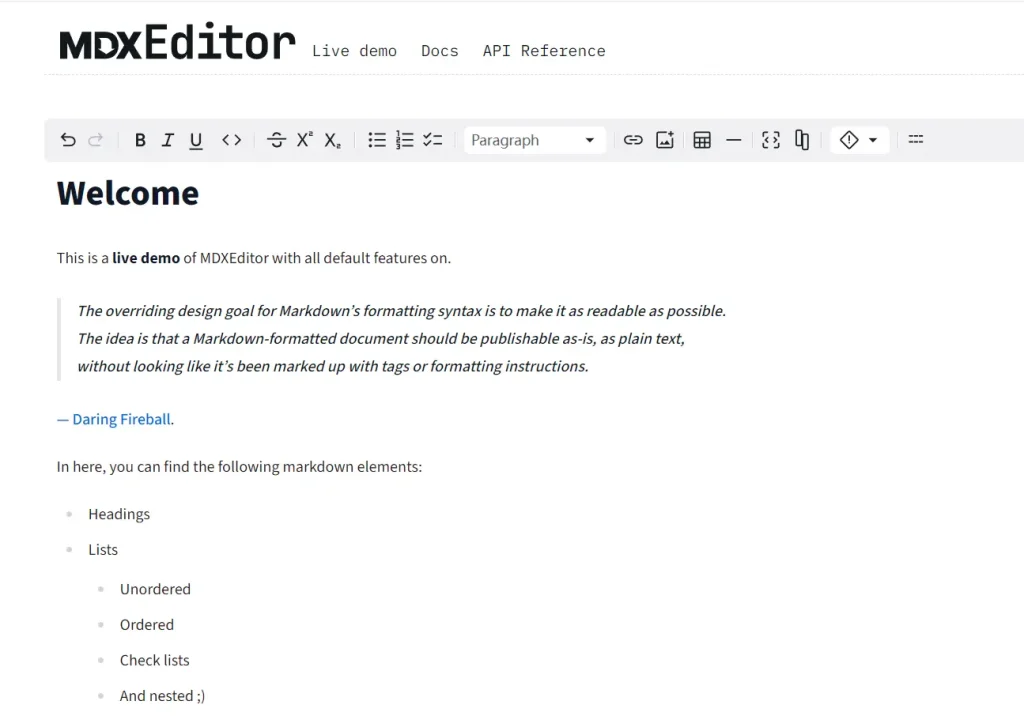
MDXEditor is an open-source React component designed for authoring markdown documents in a rich text, WYSIWYG (What You See Is What You Get) environment. It provides a user experience similar to popular document editors like Google Docs or Notion, but specifically tailored for markdown syntax.
Features:
- WYSIWYG Editing: Users can directly edit and format markdown content within the editor, seeing the rendered output in real-time without needing a separate preview panel.
- Markdown-centric: While offering rich text features, it adheres to markdown syntax constraints, meaning it focuses on features supported by markdown (e.g., bold, italic, lists, code blocks) rather than arbitrary styling options like font size or color.
- Built on Lexical: The core rich text editor engine is built on the Lexical editor framework, known for its flexibility and support for complex nested editors (e.g., tables, code blocks).
- Plugin-based Architecture: The editor’s functionality is designed with a minimal core, with most features (even common ones like headings and links) being enabled through a plugin system, allowing for customization and extensibility.
- MDX Support: It specifically accommodates MDX, which extends markdown to allow embedding JSX components directly within markdown documents. It includes features for editing JSX components within the editor.
- Consistent Output: It aims to produce consistent and configurable markdown output, which is beneficial for applications that rely on structured markdown content.
8. react-md-editor
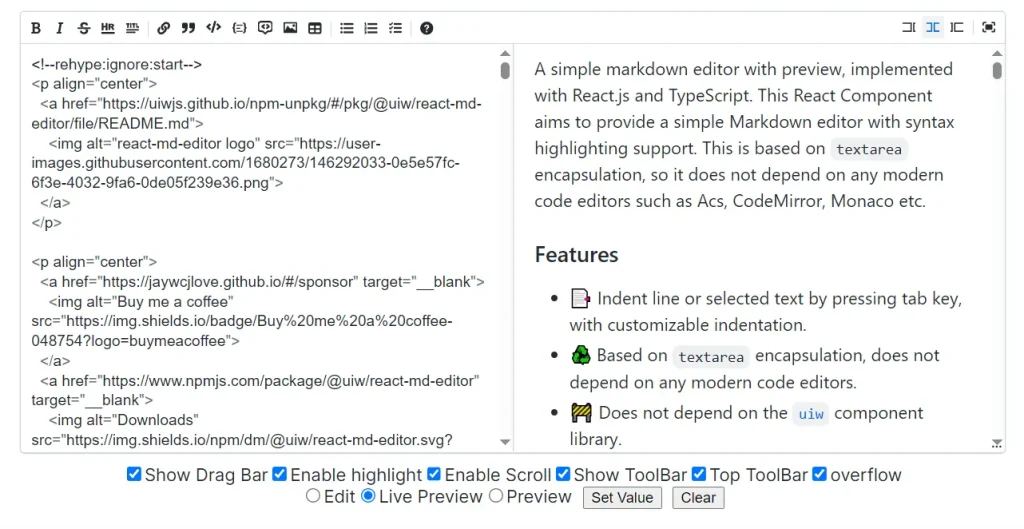
A simple yet powerful Markdown editor component for React applications. It allows users to easily create and edit Markdown content within a user-friendly interface.
Features:
- Markdown Editing: Provides a dedicated area for composing and editing Markdown content.
- Real-time Preview: Offers a live preview pane that instantly displays the rendered HTML output as the user types, mimicking interfaces found in platforms like GitHub.
- Toolbar Options: Includes a toolbar with common formatting options (bold, italics, lists, etc.) to assist with Markdown syntax.
- Syntax Highlighting: Enhances readability within the editor by highlighting Markdown syntax elements.
- GitHub Flavored Markdown Support: Supports a widely used Markdown dialect for consistent rendering.
- Dark Mode: Offers a dark mode theme for improved user experience in low-light environments.
- KaTeX Support: Allows for rendering TeX math expressions using the KaTeX library.
- Customization: Provides options for customizing the editor’s appearance and functionality.
9. Modern WYSIWYG Rich Text Editor For React – rc-tiptap-editor

rc-tiptap-editor is a modern WYSIWYG rich text editor based on Tiptap and shadcn/ui.
It includes basic extensions such as text, heading, paragraph, bold, italic, underline, strikethrough, code, code block, bullet list, ordered list, blockquote, link, image, table, and more.
10. React JS Froala WYSIWYG Editor

Froala Editor is a powerful and customizable WYSIWYG (What You See Is What You Get) HTML editor designed for integration into React applications.
Features:
- Component-Based Usage: It can be used as a functional component within React, allowing for state management and props-based configuration to control its behavior and content.
- Customization: React developers can customize various aspects of the Froala editor, including its toolbar buttons, styling, and available formatting options, to align with the application’s design and requirements.
- Features: It provides a comprehensive set of features for content creation, such as text formatting (bold, italic, headings), media handling (images, videos), link management, and more.
- Markdown Support: Froala can function as a React Markdown editor, enabling users to write content using Markdown syntax and see the formatted output in real-time.
- Performance: Froala is known for its fast initialization and performance, which is a crucial factor for ensuring a smooth user experience in React applications.
Which React WYSIWYG Rich Text Editor Should I Use
For greenfield projects requiring maximum customization, evaluate Tiptap or Plate first. For teams needing production-ready components immediately, TinyMCE or BlockNote offer complete solutions. Consider bundle impact: headless frameworks start around 50KB while full-featured editors can exceed 200 KB minified.
See Also:
- 7 Best WYSIWYG Rich Text Editors For Vue.js
- 10 Best JavaScript WYSIWYG Editors For Easier Content Editing