Description:
react-ts-audio-recorder is a JavaScript library that captures audio in MP3 and WAV formats directly within your browser.
The library wraps the Web Audio API and uses modern AudioWorklet processing. It handles microphone input, applies real-time encoding, and returns ready-to-use audio files.
Features
- 🎯 Dual Format Output: Records audio as MP3 through WASM-based LAME encoding or as uncompressed WAV through direct PCM conversion.
- 🚀 Modern Audio Processing: Uses AudioWorklet for real-time processing instead of deprecated ScriptProcessorNode.
- 🎛️ Pitch Adjustment: Shifts pitch up or down by one semitone during MP3 encoding.
- ⚡ Performant MP3 Encoding: Compresses audio to approximately 73 KB gzipped WASM payload for the encoder.
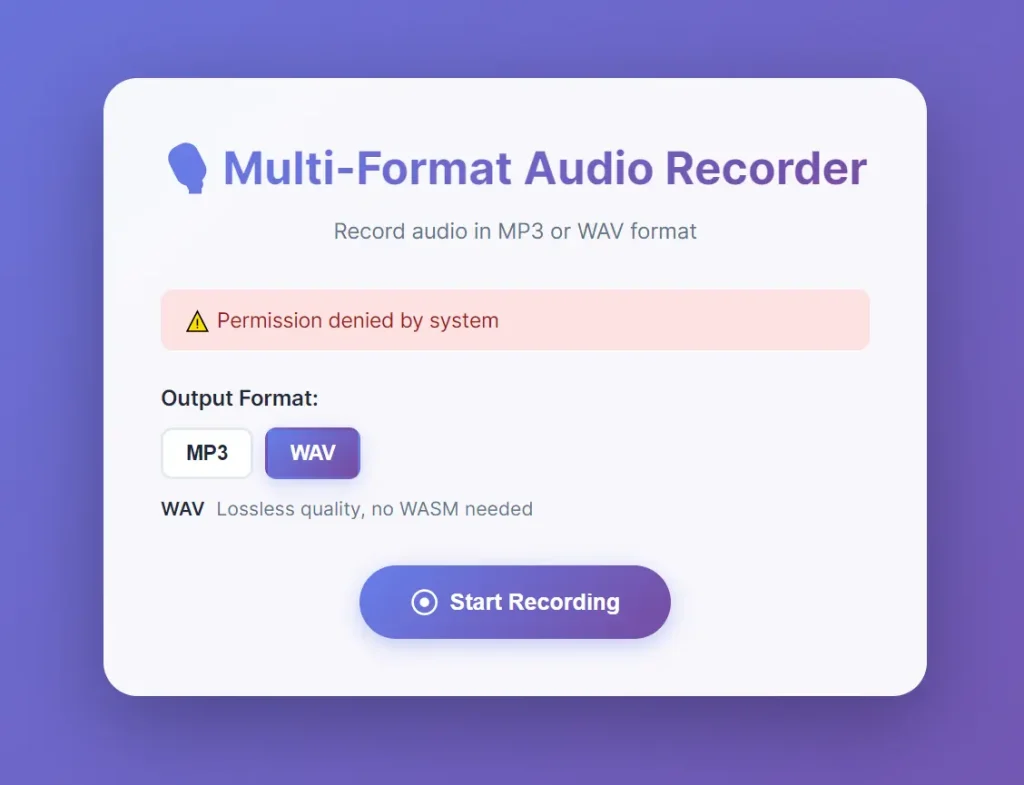
Preview
Use Cases
- Voice Note Applications: Add recording functionality to communication or productivity tools.
- Audio Feedback Widgets: Let users submit spoken feedback directly in a web application.
- Accessibility Tools: Create interfaces that accept audio input as an alternative to text.
- Language Learning Apps: Implement features for recording and checking pronunciation.
How to Use It
1. Install the package with npm.
npm install react-ts-audio-recorder2. Import the MultiRecorder component and the WASM file for MP3 encoding.
import { MultiRecorder } from "react-ts-audio-recorder";
import vmsgWasm from "react-ts-audio-recorder/assets/vmsg.wasm?url";
3. Create a recorder instance with your chosen format and sample rate. MP3 format requires the WASM URL.
const recorder = new MultiRecorder({
  format: "mp3",
  sampleRate: 48000,
  wasmURL: vmsgWasm,
});
4. Call init before recording starts. This method loads the encoder and requests microphone permissions.
await recorder.init();5. Start recording when the user triggers the action. The library captures audio from the default microphone.
await recorder.startRecording();6. Stop recording when finished. The method returns a Blob containing the encoded audio file.
const audioBlob = await recorder.stopRecording();7. Clean up resources after recording completes. This releases the microphone and closes audio contexts.
recorder.close();8. The complete flow for a React component handles state updates and resource cleanup. Store the recorder instance in a ref to prevent recreation on renders.
import { useState, useRef } from "react";
import { MultiRecorder } from "react-ts-audio-recorder";
import vmsgWasm from "react-ts-audio-recorder/assets/vmsg.wasm?url";
function VoiceRecorder() {
  const [recording, setRecording] = useState(false);
  const [audioURL, setAudioURL] = useState<string | null>(null);
  const recorderRef = useRef<MultiRecorder | null>(null);
  const handleStart = async () => {
    try {
      const recorder = new MultiRecorder({
        format: "wav",
        sampleRate: 48000,
        wasmURL: vmsgWasm,
      });
      recorderRef.current = recorder;
      await recorder.init();
      await recorder.startRecording();
      setRecording(true);
    } catch (error) {
      console.error("Failed to start recording:", error);
    }
  };
  const handleStop = async () => {
    if (!recorderRef.current) return;
    try {
      const blob = await recorderRef.current.stopRecording();
      recorderRef.current.close();
      recorderRef.current = null;
      const url = URL.createObjectURL(blob);
      setAudioURL(url);
      setRecording(false);
    } catch (error) {
      console.error("Failed to stop recording:", error);
    }
  };
  return (
    <div>
      <button onClick={recording ? handleStop : handleStart}>
        {recording ? "Stop Recording" : "Start Recording"}
      </button>
      {audioURL && (
        <audio src={audioURL} controls />
      )}
    </div>
  );
}
9. For WAV format, specify the PCM worklet URL if you need custom locations for static files.
import pcmWorklet from "react-ts-audio-recorder/assets/pcm-worklet.js?url";
const recorder = new MultiRecorder({
  format: "wav",
  sampleRate: 48000,
  workletURL: pcmWorklet,
});
10. Projects without module bundlers should copy assets to the public directory and reference them directly.
const recorder = new MultiRecorder({
  format: "mp3",
  wasmURL: "/vmsg.wasm",
  workletURL: "/pcm-worklet.js",
});
11. The library exports default URLs for convenience when you want standard paths.
import { DEFAULT_VMSG_WASM_URL, PCM_WORKLET_URL } from "react-ts-audio-recorder";
const recorder = new MultiRecorder({
  format: "mp3",
  wasmURL: DEFAULT_VMSG_WASM_URL,
});
12. Constructor Options:
- format (required): Accepts “mp3” or “wav” to determine output encoding.
- sampleRate (optional): Sets recording sample rate in Hz. Defaults to 48000.
- wasmURL (optional): Path to vmsg.wasm file for MP3 encoding. Defaults to “/vmsg.wasm”. Required for MP3 format.
- shimURL (optional): Path to WebAssembly polyfill for older browsers. Only needed for MP3 format.
- pitch (optional): Adjusts pitch shift between -1 and 1. Only affects MP3 format. Defaults to 0.
- workletURL (optional): Path to pcm-worklet.js file for WAV encoding. Defaults to “/pcm-worklet.js”. Required for WAV format.
13. API Methods
- init(): Loads the audio encoder and requests microphone access. Returns a Promise that resolves when ready to record. Must be called before startRecording.
- startRecording(): Begins capturing audio from the microphone. Returns a Promise that resolves when recording starts. Requires init to complete first.
- stopRecording(): Ends the recording session and encodes the captured audio. Returns a Promise containing a Blob with MIME type “audio/mpeg” for MP3 or “audio/wav” for WAV.
- close(): Releases microphone access and cleans up audio contexts. Call this method when recording is complete to free resources.
Related Resources
- vmsg by Kagami: Original WebAssembly MP3 encoder that this library builds upon for compressed audio recording.
- RecordRTC: WebRTC recording library that captures audio, video, and screen with multiple codec options.
- Tone.js: Web Audio framework for creating interactive music applications with synthesis and effects processing.
FAQs
Q: Which format should I use for voice recordings?
A: Use MP3 for voice recordings that need file size optimization. The LAME encoder compresses speech efficiently while maintaining clarity. WAV format works better when you need lossless quality or want to avoid WebAssembly deployment.
Q: Does the library work on mobile browsers?
A: Yes, it runs on iOS Safari and Android Chrome. Both platforms support the Web Audio API and microphone access through HTTPS connections. WebAssembly works on all current mobile browsers for MP3 encoding.
Q: How do I handle microphone permission denials?
A: Wrap the init call in a try-catch block. The method throws an error if users deny microphone access. Show a message explaining that recording requires microphone permissions and provide instructions to enable them in browser settings.
Q: Can I record multiple audio tracks simultaneously?
A: No, each MultiRecorder instance captures from one microphone input.
Q: What sample rates does the library support?
A: The library accepts any sample rate your audio hardware supports. Common values include 44100 Hz for CD quality and 48000 Hz for professional audio. Higher sample rates increase file size but capture more frequency information.