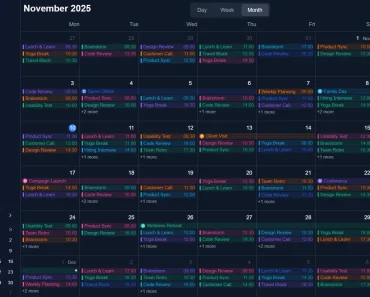
Description:
An open-source React component designed to provide a simple, customizable, and easy-to-use full-year calendar solution for individuals and organizations alike.
Born from the need for a more flexible and accessible calendar tool, React Full Year Scheduler is perfect for various purposes, such as planning events, tracking deadlines, and scheduling appointments.
The component offers a comprehensive, year-at-a-glance view, making it easy to visualize and manage your annual calendar. With a focus on customization and accessibility, it allows you to set holidays and working days, highlight and style events with different colors, and create a calendar layout tailored to your specific needs. React Full Year Scheduler has no external dependencies other than Day.js and TailwindCSS, ensuring a smooth integration into your projects.
How to use it:
1. Installation.
# NPM
$ npm i react-full-year-scheduler
2. Import necessary modules.
import dayjs from “dayjs”;
import { useState } from “react”;
import { ReactFullYearScheduler } from “react-full-year-scheduler”;
import “react-full-year-scheduler/dist/style.css”;
3. Add your events to the scheduler.
function  App() {
  const [events, setEvents] =  useState<TEvent[]>([
  {
    eventName: "Event 1",
    startDate: dayjs("2023-04-01"),
    endDate: dayjs("2023-04-15"),
    eventBgColor: "#ff5f4c",
    eventTextColor: "white",
  },
  {
    eventName: "Event 2",
    startDate: dayjs("2023-04-16"),
    endDate: dayjs("2023-04-30"),
    eventBgColor: "purple",
    eventTextColor: "white",
  },
  // ... more events here
]);
4. Add the ReactFullYearScheduler component to the app.
<ReactFullYearScheduler
  events={events}
  locale="en"
  dateTooltipTheme="material"
  weekSeparatorWidth={10}
  weekSeparatorColor="white"
  headerWeekDayBgColor="#b39cd0"
  headerWeekendBgColor="rgba(75, 68, 83, 0.69)"
  weekendCellBackgroundColor="rgba(75, 68, 83, 0.69)"
  weekendCellTextColor="white"
  weekDayCellBackgroundColor="rgba(75, 68, 83, 0.69)"
  weekDayCellTextColor="white"
  selectionColor="black"
  selectionTextColor="white"
  maxRangeSelection={20}
  minRangeSelection={10}
  firstDayOfWeek="Monday"
  maxYear={2030}
  minYear={1970}
  readonlyCalendar={false}
  showWeekSeparator={true}
  showTodayButton={true}
  enableYearToYearSelection={false}
  enableWeekendSelection={true}
  minCellWidth={50}
  showSeparatorInHeader={false}
  enableEventOverwriting={true}
  onDatePick={(eventDate, clearSelectedCell) => {
  console.log(eventDate.toDate());
  }}
  onEventSinglePickInterception={(date, eventName, clearSelectedCell) => {
  console.table([eventName, date.toDate()]);
  }}
  onRangePick={(
  eventStartDate,
  eventEndDate,
  clearSecondSelectedCell,
  clearSelection
  ) => {
  setTimeout(() => {
  clearSelection();
  }, 3000);
  }}
  onEventRangePickInterception={(
  eventFirstDate,
  eventLastDate,
  eventsToBeDeleted,
  eventsToBeUpdated,
  clearSecondSelectedCell,
  clearSelection
  ) => {
  setTimeout(() => {
  clearSelection();
  }, 3000);
  }}
/>
</div>
Preview: