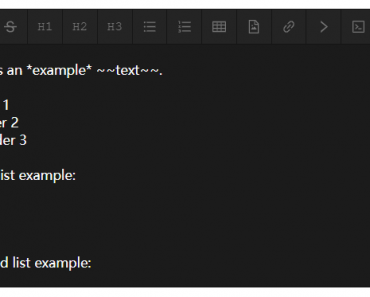
Description:
React Native Remark is a component that display formatted text from Markdown strings directly in your mobile applications.
It handles various Markdown elements like headings, lists, and code blocks without needing extra setup.
This components parses Markdown using remark and converts it to React Native components. It supports features such as syntax highlighting for code and table rendering with scroll views.
Features
- 📱 Renders Markdown in React Native apps.
- 🎯 Handles GitHub Flavored Markdown.
- 🌈 Adds syntax highlighting to code blocks.
- 📊 Displays tables with horizontal scrolling.
- 🖼️ Shows inline and block images.
- 🌙 Includes dark mode support.
- ⚙️ Allows custom renderers and styles.
Preview

Use Cases
- Build a note-taking app where users write in Markdown and see formatted previews.
- Create a blog platform that renders posts from Markdown files stored in the backend.
- Develop a documentation viewer for open-source projects with Markdown-based guides.
- Integrate into a chat app to format messages with bold text, lists, and links.
- Use in an educational tool to display lesson content from Markdown sources.
How to Use It
1. Install react-native-remark with npm.
install react-native-remark
2. Import the Markdown component
import { Markdown } from 'react-native-remark';3. Pass the Markdown string to the component as a prop.
const markdown = `
# Hello World! 👋

This is a **Markdown** example with [a link](https://reactnative.dev).

- List item 1
- List item 2
`;

export default function App() {
  return (
     <Markdown
        markdown={markdown}
        customRenderers={{
            // Override default renderers for mdast nodes.
            // Checkout https://github.com/imwithye/react-native-remark/blob/main/src/renderers/index.tsx
            // for the default renderers.
            InlineCodeRenderer: ({ node }) => (
              <Text style={{ color: "blue" }}>{node.value}</Text>
            ),
            ThematicBreakRenderer: () => (
              <View style={{ height: 5, backgroundColor: "red" }} />
            ),
        }}
        customStyles={{
            // Override default styles
            // Checkout https://github.com/imwithye/react-native-remark/blob/main/src/themes/default.tsx
            // for the default styles.
            inlineCode: {
              color: "red",
            },
            text: {
              color: "red",
            },
        }}
        onCodeCopy={(code) => Clipboard.setStringAsync(code)}
        onLinkPress={(url) => Linking.openURL(url)}
      />
  );
}
Related Resources
- react-native-markdown-display: A CommonMark-compliant Markdown renderer for React Native.
- react-native-marked: Markdown renderer powered by marked.js with theme support.
- remark: Markdown processor used in react-native-remark for parsing.
FAQs
Q: How do you customize element styles?
A: Use the customStyles prop to override default styles for specific elements.
Q: Can you change how specific Markdown nodes render?
A: Provide custom renderers through the customRenderers prop for each node type.
Q: Does it include built-in themes?
A: It offers default, serif, and github themes for styling.
Q: How do you handle image rendering?
A: It supports inline and block images with custom image styles if needed.