Description:
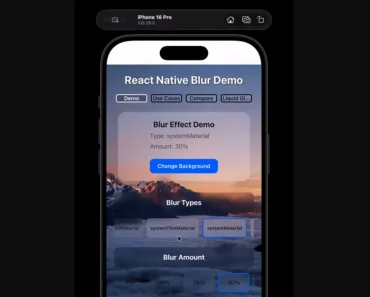
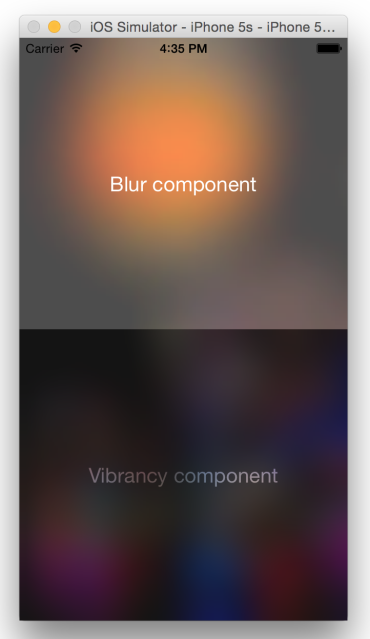
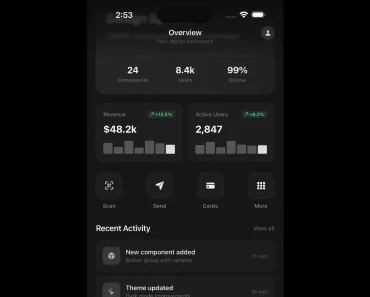
expo-ios-visual-blur is a React Native library that provides native SwiftUI progressive blur effects for iOS apps.
It allows you to create dynamic and smooth blur gradients within your Expo and bare React Native applications.
Note that expo-ios-visual-blur uses CAFilter, a private Apple API. Applications that use private APIs face the risk of rejection during the App Store review process. You should weigh this risk before including the library in a production application intended for the App Store.
Features
- 🍎 Implements blur effects using native SwiftUI for high performance and smoothness on iOS.
- 🌈 Offers a progressive, variable blur that you can configure with a maximum blur radius.
- 🔄 Supports directional blur gradients, either from top to bottom or bottom to top.
- 🎨 Includes a
startOffsetcontrol to define the vertical starting position of the blur. - ⚙️ Allows for dynamic, runtime updates to blur parameters with seamless transitions.
- 🖼️ Functions as an overlay for any React Native view and supports child components.
Preview

How to Use It
1. Install the package.
npx expo install expo-ios-visual-blur2. Install the necessary CocoaPods dependencies.
cd ios && pod install3. If you are using a bare React Native workflow, you need to prebuild the iOS project.
npx expo prebuild --platform ios5. Run your application on an iOS simulator or device.
npx expo run:ios6. Import BlurView and the BlurViewDirection enum from the package. The BlurView component acts as a container that applies the blur effect to any content placed inside it.
import React from "react";
import { BlurView, BlurViewDirection } from "expo-ios-visual-blur";
import { Image, View, Text, StyleSheet } from "react-native";
export default function App() {
  return (
    <View style={styles.container}>
      <Image
        source={{ uri: "https://images.unsplash.com/photo-1754638069174-7aa06c176b61" }}
        style={styles.backgroundImage}
      />
      <BlurView
        direction={BlurViewDirection.BlurredBottomClearTop}
        maxBlurRadius={25}
        startOffset={0.2}
        style={styles.blurContainer}
      >
        <Text style={styles.title}>Blurred Content</Text>
        <Text style={styles.subtitle}>
          This text appears inside the blur view.
        </Text>
      </BlurView>
    </View>
  );
}
const styles = StyleSheet.create({
  container: {
    flex: 1,
    alignItems: "center",
    justifyContent: "center",
  },
  backgroundImage: {
    ...StyleSheet.absoluteFillObject,
    width: '100%',
    height: '100%',
  },
  blurContainer: {
    width: 300,
    height: 300,
    justifyContent: "center",
    alignItems: "center",
    borderRadius: 20,
    overflow: "hidden", // Ensures the blur respects the border radius
  },
  title: {
    fontSize: 24,
    fontWeight: 'bold',
    color: '#fff',
  },
  subtitle: {
    fontSize: 16,
    color: '#fff',
    marginTop: 8,
  }
});
7. You can then configure the blur effect with these props:
maxBlurRadius: A number that sets the maximum blur intensity. The default is 20.direction: Determines the gradient’s flow. UseBlurViewDirection.BlurredTopClearBottomfor a blur that fades from top to bottom orBlurViewDirection.BlurredBottomClearTopfor the reverse.startOffset: A number between 0 and 1 that controls the vertical starting point of the blur gradient.style: Applies standard React Native styles to the container.
Related Resources
- expo-blur: The official Expo library for creating standard blur effects. It provides a cross-platform solution by falling back to a semi-transparent view on Android.
FAQs
Q: Can I use expo-ios-visual-blur on Android?
A: No, this library is exclusive to iOS because it relies on native SwiftUI components and Apple-specific APIs. It will not work on Android or web platforms.
Q: How can I make the blur effect start lower down in the view?
A: You can use the startOffset prop. It accepts a value between 0 and 1. For example, a startOffset of 0.5 will make the blur gradient begin at the vertical midpoint of the view.
Q: Can the blur intensity and direction be changed dynamically?
A: Yes, all props, including maxBlurRadius and direction, can be updated during runtime. The component will render the changes with a smooth transition.