Description:
rn-number-flow is a React Native component that creates beautiful animated transitions between numeric values. Built on React Native Reanimated.
It handles counters, statistics, and any numeric display with fluid animations while maintaining high performance.
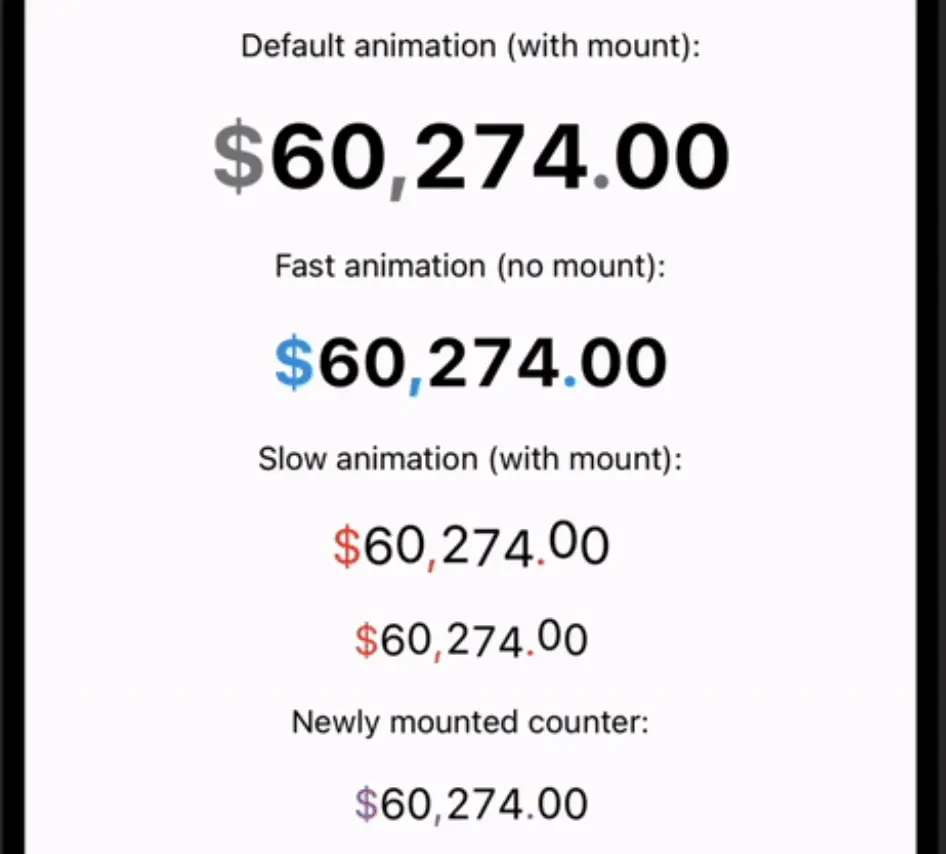
Key Features
- 🚀 Smooth digit-by-digit animations powered by Reanimated
- 🎨 Customizable styles for digits and separators
- ⚙️ Fine-grained control over animation parameters
- 📱 Works on both iOS and Android
- 📦 Zero dependencies beyond Reanimated
- 🏎️ Optimized for performance with minimal re-renders
Use Cases
- Financial apps showing account balances or price changes
- Fitness trackers displaying workout metrics
- Game UIs for score counters and timers
- Analytics dashboards with animated KPIs
Getting Started
Install the package:
yarn add rn-number-flowBasic usage:
import NumberFlow from 'rn-number-flow';
function Counter() {
  const [value, setValue] = useState(0);
  return (
    <View>
      <NumberFlow value={value.toString()} />
      <Button title="Increment" onPress={() => setValue(v => v + 1)} />
    </View>
  );
}
Available Props & Options
value: String – The number to displaystyle: TextStyle – Applies to digitsseparatorStyle: TextStyle – For non-digit charactersautoFitText: Boolean – Adjusts text sizinganimationConfig: Object – Controls animation behavior
Animation config options:
{
  enabled: true,
  animateOnMount: true,
  digitDelay: 20, // ms between digit animations
  mass: 0.8,     // spring physics
  stiffness: 75,
  damping: 15
}
FAQs
Q: How does it handle very large numbers?
A: The component handles any length string, though extremely long numbers may cause performance issues due to the number of animated digits.
Q: Can I animate between non-numeric characters?
A: The component treats non-digit characters as separators – they don’t animate but can be styled separately.
Q: Is there a way to disable animations?
A: Set animationConfig.enabled to false for static display.