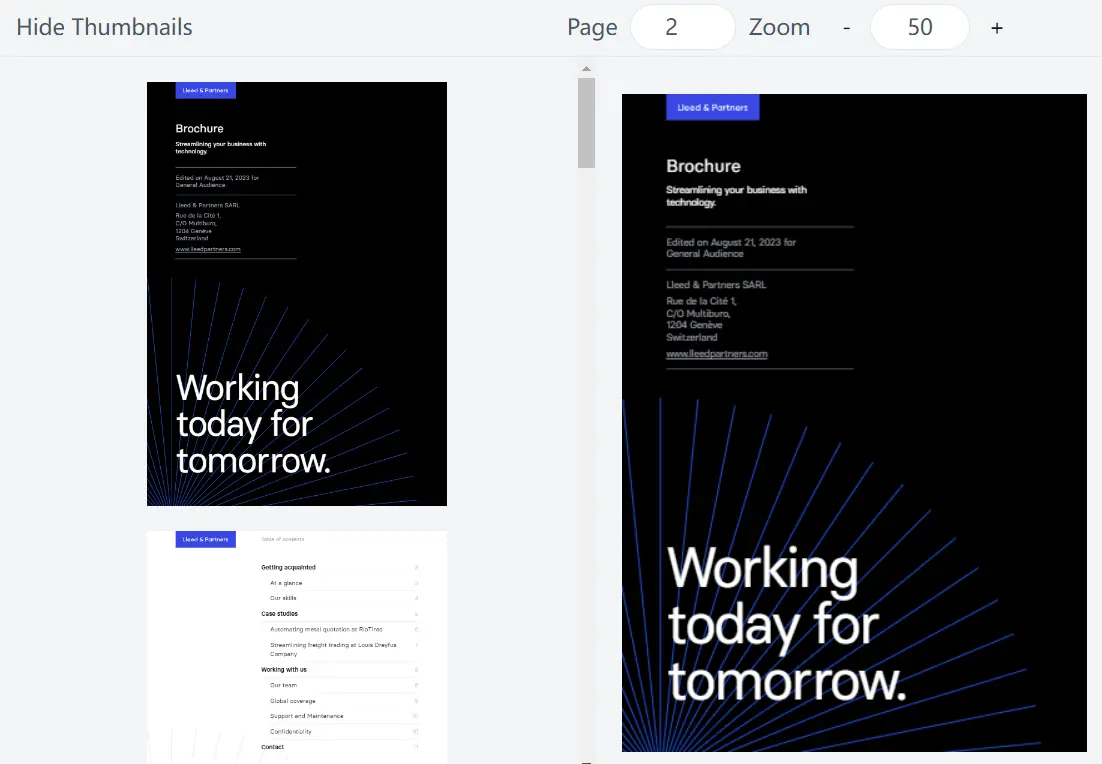
Description:
PDFReader is a React component that lets you add PDF viewing to your web apps.
It’s useful for apps that need document viewing, like digital libraries or document management systems.
Users can navigate, zoom, and interact with PDFs right in the browser.
Key Features:
- Zoom controls
- Text and annotation layers
- Canvas layer for rendering
- Page navigation
- Outline and thumbnail views
- Two-sided view option
- Search with text highlighting
- Annotation placement
How to use it:
1. Install the package via NPM.
# NPM
$ npm install @fileforge/pdfreader
2. Import the components:
import { Root, CurrentPage, ZoomOut, Zoom, ZoomIn, Outline, OutlineItem, OutlineChildItems, Viewport, Pages, Page, CanvasLayer, TextLayer, AnnotationLayer } from '@fileforge/pdfreader';3. Create a Reader component:
export const Reader = ({ fileURL }) => {
  return (
    <Root fileURL={fileURL} className="m-4 border rounded-xl overflow-hidden">
      <div className="border-b p-3 flex gap-4">
        <CurrentPage className="border bg-white rounded-md text-center py-1" />
        <div className="flex border rounded-md">
          <ZoomOut className="aspect-square block h-8 w-8">-</ZoomOut>
          <Zoom className="py-1 px-2 bg-white" />
          <ZoomIn className="aspect-square block h-8 w-8">+</ZoomIn>
        </div>
      </div>
      <div className="grid grid-cols-[24rem,1fr] h-[500px] overflow-hidden">
        <Outline className="border-r overflow-auto p-3">
          <OutlineItem className="block">
            <OutlineChildItems className="pl-4" />
          </OutlineItem>
        </Outline>
        <Viewport className="bg-gray-100 py-4">
          <Pages>
            <Page className="shadow-xl m-8 my-4 first:mt-8 outline outline-black/5 rounded-md overflow-hidden">
              <CanvasLayer />
              <TextLayer />
              <AnnotationLayer />
            </Page>
          </Pages>
        </Viewport>
      </div>
    </Root>
  );
};
4. Use the Reader component in your app, passing the PDF file URL as a prop.
Preview: