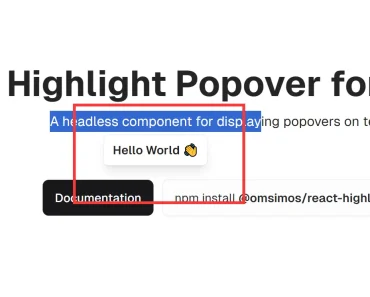
Description:
An easy popover component for React Native using modal.
Installation:
# Yarn
$ yarn add react-native-modal-popover
# NPM
$ npm install react-native-modal-popover --save
Usage:
Import the ‘react-native-modal-popover’.
import React from 'react';
import { Button, StyleSheet, Text, View } from 'react-native';
import Popover, { PopoverTouchable } from 'react-native-modal-popover';
The example app.
const styles = StyleSheet.create({
  app: {
    ...StyleSheet.absoluteFillObject,
    padding: 10,
    backgroundColor: '#c2ffd2',
    flexDirection: 'row',
    flexWrap: 'wrap',
  }
});
const cenralPopoverStyles = StyleSheet.create({
  contentStyle: {
    padding: 16,
    backgroundColor: 'pink',
    borderRadius: 8,
  },
  arrowStyle: {
    borderTopColor: 'pink',
  },
  backgroundStyle: {
    backgroundColor: 'rgba(0, 0, 255, 0.5)'
  },
});
const examples = [
  {icon: 'arrow-top-left', text: 'I am top-left popover', alignItems: 'flex-start', justifyContent: 'flex-start'},
  {icon: 'arrow-up', text: 'I am top-middle popover', alignItems: 'center', justifyContent: 'flex-start'},
  {icon: 'arrow-top-right', text: 'I am top-right popover', alignItems: 'flex-end', justifyContent: 'flex-start'},
  {icon: 'arrow-left', text: 'I am middle-left popover', alignItems: 'flex-start', justifyContent: 'center'},
  {icon: 'image-filter-center-focus', text: 'I am middle-middle popover.\nI am stylish!', alignItems: 'center', justifyContent: 'center', popoverStyles: cenralPopoverStyles},
  {icon: 'arrow-right', text: 'I am middle-right popover', alignItems: 'flex-end', justifyContent: 'center'},
  {icon: 'arrow-bottom-left', text: 'I am bottom-left popover', alignItems: 'flex-start', justifyContent: 'flex-end'},
  {icon: 'arrow-down', text: 'I am bottom-middle popover', alignItems: 'center', justifyContent: 'flex-end'},
  {icon: 'arrow-bottom-right', text: 'I am bottom-right popover', alignItems: 'flex-end', justifyContent: 'flex-end'},
];
const App = () => (
  <View style={styles.app}>
    { examples.map(example => <PopoverExample key={example.icon} {...example} />)}
  </View>
);
export default App;
Preview: