Description:
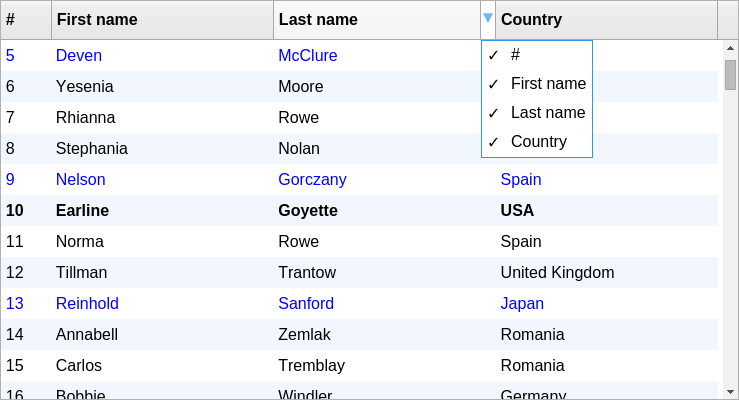
A data grid library for React to render a sortable, searchable, resizable, selectable, editable, and fully responsive data table on the app.
More Features:
- Column reorder
- Highlight search terms
- Pagination
- Row selection
- Inline Editing
- Column pinning
- Column visibility management
- Sticky table header
- Dynamic row height
Install & Import:
// import React
import React from "react";
// import the table component
import GridTable from '@nadavshaar/react-grid-table';
// import the styles
import '@nadavshaar/react-grid-table/dist/index.css';
Basic Usage:
1. Define the tabular data to be presented in the data table.
let rows = [
    {
      "id": 1,
      "username": "username",
      "gender": "Male",
      // ...
    },
    {
      "id": 2,
      "username": "username",
      "gender": "Male",
      // ...
    }
    // ...
];
2. Define the table columns and populate the data table with the row data.
const MyAwesomeTable = () => {
    const columns = [
        {
            id: 1,
            field: 'username',
            label: 'Username',
            cellRenderer: Username,
        },
        {
            id: 2,
            field: 'gender',
            label: 'Gender',
        },
        {
            id: 3,
            field: 'last_visited',
            label: 'Last Visited',
            sort: ({a, b, isAscending}) => {
                let aa = a.split('/').reverse().join(),
                bb = b.split('/').reverse().join();
                return aa < bb ? isAscending ? -1 : 1 : (aa > bb ? isAscending ? 1 : -1 : 0);
            }
        }
    ];
    return (
        <GridTable
            columns={columns}
            rows={rows}
        />
    )
};
export default MyAwesomeTable;
Default component props:
columns: [],
rows: [],
rowIdField: 'id',
minColumnWidth: 70,
pageSizes: [20, 50, 100],
pageSize: 20,
isLoading: false,
manageColumnVisibility: true,
isHeaderSticky: true,
searchText: '',
highlightSearch: true,
searchMinChars: 2,
isPaginated: true,
showSearch: true,
sortBy: null,
sortAscending: true,
disableColumnsReorder: false,
isRowSelectable: row => true,
isRowEditable: row => true,
icons: { sort: { ascending: <React.Fragment>↑</React.Fragment>, descending: <React.Fragment>↓</React.Fragment> } }Preview: