Description:
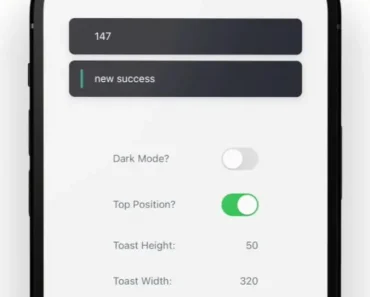
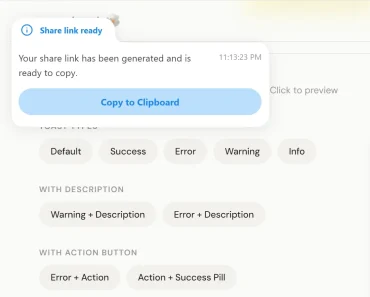
A lightweight, swipeable, smoothly animated toast notification for React Native.
More Features:
- Plain simple and flexible APIs
- Resize itself correctly on device rotation
- Easy to set up for real, you can make it work in less than 10sec!
- Super easy to customize
- RTL support
- Can choose swipe direction
- Super easy to use an animation of your choice. Works well with animate.css for example
- Define behavior per toast
- Pause toast by click on the toast
- Fancy progress bar to display the remaining time
- Possibility to update a toast
- You can control the progress bar a la nprogress
- You can display multiple toasts at the same time
- Dark mode
- And much more!
How to use it:
1. Install and import the Toastify.
# NPM
$ npm i toastify-react-native
import React, { useState } from 'react';
import { StyleSheet, View, TouchableOpacity, Text } from 'react-native';
import Toast from 'toastify-react-native';
2. Create toast notifications of various types on the app.
export default function App() {
  const [toastify, setToastify] = useState()
  const [toastifyInfo, settoastifyInfo] = useState()
  const [toastifyError, settoastifyError] = useState()
  const showToasts = async () => {
    toastify.success("Success");
    toastifyInfo.info("Some info");
    toastifyError.error("This is an Error");
  }
  return (
    <View style={styles.container} >
      <Toast ref={(c) => setToastify(c)} />
      <Toast position="center" animationStyle="fancy" ref={(c) => settoastifyInfo(c)} />
      <Toast position="bottom" animationStyle="rightInOut" ref={(c) => settoastifyError(c)} />
      <TouchableOpacity style={{ marginTop: 200, backgroundColor: "white", borderColor: "green", borderWidth: 2, padding: 10 }} onPress={() => showToasts()} >
        <Text>
          SHOW SOME AWESOMENESS !
        </Text>
      </TouchableOpacity>
    </View>
  );
}
const styles = StyleSheet.create({
  container: {
    flex: 1,
    backgroundColor: '#fff',
    alignItems: 'center',
    justifyContent: 'center',
  }
});
3. All default component props.
width: RFPercentage(32),
height: RFPercentage(8.5),
style: {},
position: 'top', // top, center or bottom
positionValue: 50,
end: 0,
duration: 3000,
animationInTiming: 300,
animationOutTiming: 300,
backdropTransitionInTiming: 300,
backdropTransitionOutTiming: 300,
animationIn: '',
animationOut: '',
animationStyle: 'rightInLeftOut', // or rightInOut, fancy
hasBackdrop: false,
backdropColor: 'black',
backdropOpacity: 0.5
Preview: