Description:
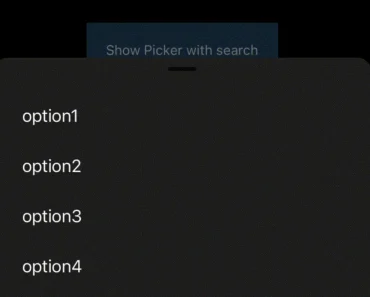
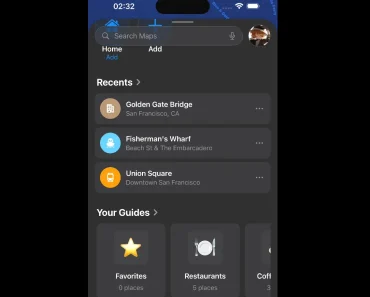
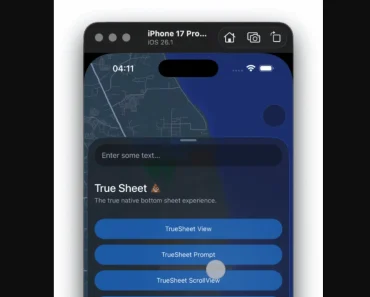
Expo Bottom Sheet Stack is a stackable bottom sheet component for React Native. It utilizes Reanimated 3 to deliver fluid animations. Inspired by the native modal sheets found in iOS and includes a pre-configured dark theme.
This component allows you to present supplementary content anchored to the bottom of the screen. You can stack multiple sheets, creating a workflow where new sheets appear on top of previous ones. This is useful for multi-step actions, contextual menus, or detailed views without leaving the current screen.
Features
- 🥞 Stackable Interface. Present a series of bottom sheets on top of one another.
- 💨 Smooth Animations. Built with Reanimated 3 to ensure high-performance, 60 FPS animations.
- 🎨 Dark Theme Support. Includes a sleek, dark-themed design inspired by native iOS components.
- 👆 Gesture-Driven. Uses React Native Gesture Handler for intuitive user interactions.
- ⚛️ Expo Integration. Works with React Native and Expo projects.
Preview

Use Cases
- Multi-Step Forms. Guide users through a sequence of inputs without navigating to a separate screen.
- Filtering and Sorting. Allow users to apply multiple filters, with each new filter option opening in a new sheet.
- Contextual Menus. Display a stack of actions or details related to a specific item.
- User Onboarding. Introduce app features in a sequential and non-intrusive manner.
Features
- 🥞 Stackable Interface. Present a series of bottom sheets on top of one another.
- 💨 Smooth Animations. Built with Reanimated 3 to ensure high-performance, 60 FPS animations.
- 🎨 Dark Theme Support. Includes a sleek, dark-themed design inspired by native iOS components.
- 👆 Gesture-Driven. Uses React Native Gesture Handler for intuitive user interactions.
- ⚛️ Expo Integration. Works with React Native and Expo projects.
Use Cases
- Multi-Step Forms. Guide users through a sequence of inputs without navigating to a separate screen.
- Filtering and Sorting. Allow users to apply multiple filters, with each new filter option opening in a new sheet.
- Contextual Menus. Display a stack of actions or details related to a specific item.
- User Onboarding. Introduce app features in a sequential and non-intrusive manner.
How to Use It
1. The library is built for Expo and React Native projects. It depends on react-native-reanimated, react-native-gesture-handler, and expo-linear-gradient to function correctly.
pnpm add react-native-reanimated react-native-gesture-handler expo-linear-gradient2. Add the Reanimated plugin to your babel.config.js file. This plugin must be the last item in the plugins array.
// babel.config.js
module.exports = function(api) {
  api.cache(true);
  return {
    presets: ['babel-preset-expo'],
    plugins: [
      // Other plugins...
      'react-native-reanimated/plugin',
    ],
  };
};
3. Wrap your application’s root component with GestureHandlerRootView.
// App.js
import 'react-native-gesture-handler';
import { GestureHandlerRootView } from 'react-native-gesture-handler';
export default function App() {
  return (
    <GestureHandlerRootView style={{ flex: 1 }}>
      {/* Your App Content */}
    </GestureHandlerRootView>
  );
}
Related Resources
- Gorhom Bottom Sheet. A popular and highly configurable bottom sheet component for React Native. It supports gestures, snapping points, and is compatible with Expo. https://gorhom.github.io/react-native-bottom-sheet/
- Reanimated. The animation library that powers Expo Bottom Sheet Stack. Understanding its concepts can help you create custom animations. https://docs.swmansion.com/react-native-reanimated/
- React Native Gesture Handler. Provides declarative access to native touch and gesture system of each platform. https://docs.swmansion.com/react-native-gesture-handler/docs/
FAQs
Q: How does the stacking feature work?
A: The component is designed to manage a stack of bottom sheets, allowing you to push new sheets on top of existing ones to create layered UIs for sequential tasks.
Q: Is it necessary to wrap my app in GestureHandlerRootView?
A: Yes, wrapping your app’s root with GestureHandlerRootView is required for the gesture interactions to be detected correctly.