Description:
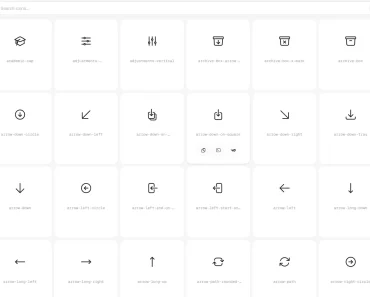
MX Icons is a lightweight React icon library that provides a collection of SVG-based icons you can use as components in your React apps.
Features
- 🎨 Visual Variants: Includes outline, solid, and mini versions for every icon to match different UI states.
- ⚡ Tree-Shaking: Exports individual components to keep application bundle sizes small.
- 🔧 Customization: Accepts props to adjust size, color, and standard SVG attributes programmatically.
How to Use It
1. Add the package to your project dependencies using your package manager.
npm install mx-icons2. Browse the official documentation to find icon names. Import the specific icon component you need directly from the library. This method supports tree-shaking, so your final build includes only the icons you actually use.
import { ActivityBold } from "mx-icons";
function StatusIndicator() {
  return (
    <div className="status-wrapper">
      <span>System Status:</span>
      <ActivityBold />
    </div>
  );
}
3. Pass props to the component to modify its appearance. You can define the size, color, and additional CSS classes to fit your design system.
| Prop | Type | Default | Description |
|---|---|---|---|
size | number | string | 24 | Sets the width and height of the icon (px or CSS unit). |
color | string | "#292D32" | Defines the icon fill or stroke color. |
className | string | "" | Applies additional CSS classes to the SVG element. |
import { ActivityBold } from "mx-icons";
function CustomIcon() {
  return (
    <ActivityBold
      size={32}
      color="#FF5733"
      className="animate-pulse"
    />
  );
}
Related Resources
- Lucide React: A consistent and clean icon library that focuses on uniformity across different platforms.
FAQs
Q: Does MX Icons work with Next.js?
A: Yes, it functions as a standard React component library and works correctly in Next.js environments.
Q: How do I preview the icons before installing?
A: You can clone the repository and run npm run dev to launch a local preview app at localhost:5173.
Q: Can I use CSS classes to style the icons?
A: Yes, the className prop accepts standard CSS class strings for external styling.