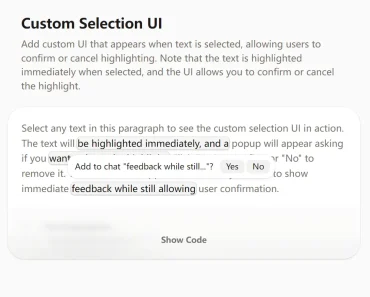
Description:
A React component for highlighting text selections within text and HTML content.
It also has the ability to save selections to a database, which allows for reconstruction of highlights and popovers at a later stage.
How to use it:
1. Install and import the React Selection Highlighter component.
# Yarn
$ yarn add react-selection-highlighter
# NPM
$ npm install react-selection-highlighter
import React from 'react'
import { Highlighter, SelectionProvider } from 'react-selection-highlighter'
2. Highlight text selections within a specific text or HTML block.
const text = `<h2 data-pm-slice="1 1 []"><strong>The Enduring Allure of the Cat</strong></h2><p>...</p>`
const SimpleHighlighter = () => {
  return (
    <SelectionProvider>
      <Highlighter htmlString={text} />
    </SelectionProvider>
  )
}
export default SimpleHighlighter
3. Apply custom styles to the text selections.
.bg-lightgreen {
  background-color: #15f5ba;
}
.bg-red {
  background-color: #ff407d;
}
.select-none {
  user-select: none;
}
.bg-yellow {
  background-color: #f5dd61;
}
.bg-blue {
  background-color: #59d5e0;
}
4. Available component props.
htmlString: string
minSelectionLength?: number
maxSelectionLength?: number
className?: string
// selections?: SelectionType[]
selectionWrapperClassName?: string
PopoverClassName?: string
PopoverChildren?: PopoverChildrentype
disablePopover?: boolean
/**
* The highlight color for the component.
* @type {string} - The color code. Default is red.
*/
onClickHighlight?: (selection: SelectionType, event: MouseEvent) => void
onClick?: MouseEventHandler<HTMLDivElement>
Preview: