Description:
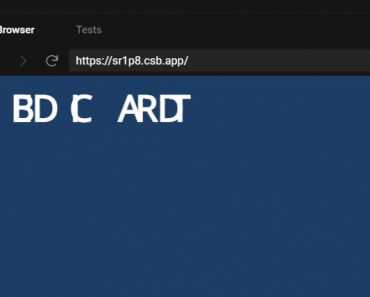
Kasumi is a React typing animation library that animates text with a blur effect. Characters appear one by one, each fading in from a blurred state.
You can adjust blur trail length, duration, intensity, and easing. Looping, callbacks, and pause/resume controls are built in.
Features
- Renders text character by character with configurable timing.
- Each character fades in from a blurred state using the Web Animations API.
- Choose from cinematic, snappy, or playful timing curves, or define your own curve function.
- Cycle through an array of strings with optional pause between cycles.
- Use the useTypewriter hook to build custom layouts while the library manages animation states and refs.
- Set the
asprop to render the typewriter text as any HTML element (span, h1, p, etc.). - Set initial delay, pause after typing, and control playback with pause, resume, and restart methods.
- Trigger functions on start, completion, character typed, and character deleted (in loop mode).
See It In Action
Use Cases
- Landing Page Headlines: Animate the main value proposition to draw attention.
- CLI Simulations: Simulate command output or typing in developer portfolios.
- AI Chat Message Animations: Display messages character by character in chat UIs.
- Interactive Storytelling: Reveal text gradually in narrative-driven applications.
How to Use It
1. Install and download
npm install @tigerabrodioss/kasumi2. Import the main component into your React file. You pass a string to the text prop to initialize the animation. The component handles the blur and deceleration automatically.
import { Typewriter } from '@tigerabrodioss/kasumi'
export default function Hero() {
  return <Typewriter text="Welcome to the application." />
}
3. Pass an array of strings to cycle through multiple phrases. The loop prop activates the continuous animation cycle. This configuration tells the component to delete the current text before typing the next sequence in the array.
import { Typewriter } from '@tigerabrodioss/kasumi'
export default function RotatingText() {
  return (
    <Typewriter
      text={['Design faster.', 'Ship sooner.', 'Sleep better.']}
      loop
    />
  )
}
4. The useTypewriter hook exposes the internal animation segments. You iterate through this data to generate your own HTML layout. Attach the ref from each segment to wire up the Web Animations API blur effect.
import { useTypewriter } from '@tigerabrodioss/kasumi'
export default function CustomTypewriter() {
  const { segments } = useTypewriter({
    text: 'Custom markup goes here',
  })
  return (
    <h2>
      {segments.map((seg) => (
        <span key={seg.index} ref={seg.ref} className="custom-class">
          {seg.char}
        </span>
      ))}
    </h2>
  )
}
5. Apply these presets through the feel prop. The library ships with three default timing curves. You can also pass a custom function to calculate the exact delay per character.
import { Typewriter } from '@tigerabrodioss/kasumi'
export default function Presets() {
  return (
    <>
      <Typewriter text="Cinematic default" feel="cinematic" />
      <Typewriter text="Fast and tight" feel="snappy" />
      <Typewriter text="Randomized delays" feel="playful" />
      <Typewriter
        text="Custom curve"
        feel={{
          curve: ({ progress }) => 100 - progress * 50,
        }}
      />
    </>
  )
}
6. The blur effect accepts custom parameters for trail length, duration, amount, and easing. Adjust these values through the blur prop. Send a boolean false to turn off the visual effect completely.
import { Typewriter } from '@tigerabrodioss/kasumi'
export default function BlurSettings() {
  return (
    <>
      <Typewriter
        text="Heavy blur"
        blur={{
          trailLength: 6,
          duration: 500,
          amount: 12,
          easing: 'linear',
        }}
      />
      <Typewriter text="No blur" blur={false} />
    </>
  )
}
7. Change the parent wrapper element using the as prop. The component renders a span by default.
import { Typewriter } from '@tigerabrodioss/kasumi'
export default function CustomElement() {
  return (
    <>
      <Typewriter text="Rendered as a heading" as="h3" className="text-2xl font-bold" />
      <Typewriter text="Rendered as a paragraph" as="p" className="text-base" />
    </>
  )
}
8. You can control the initial start delay and the pause duration before deletions. The component fires callbacks at specific lifecycle events.
import { Typewriter } from '@tigerabrodioss/kasumi'
export default function Lifecycle() {
  return (
    <Typewriter
      text="Callback test"
      initialDelay={500}
      pauseAfter={2000}
      onStart={() => console.log('Started')}
      onDone={() => console.log('Finished')}
      onCharTyped={({ char }) => console.log(`Typed: ${char}`)}
      onDelete={({ char }) => console.log(`Deleted: ${char}`)}
    />
  )
}
API Reference
useTypewriter Options
| Property | Type | Default | Description |
|---|---|---|---|
text | string | string[] | Required | The string or array of strings to animate. |
feel | FeelConfig | 'cinematic' | The preset or custom curve for typing speed. |
blur | BlurOptions | false | See below | Configuration for the blur effect. |
loop | boolean | false | Activates continuous cycling through text arrays. |
initialDelay | number | 0 | Milliseconds to wait before starting. |
pauseAfter | number | 1200 | Milliseconds to wait before deleting in loop mode. |
onStart | () => void | undefined | Callback fired when animation begins. |
onDone | () => void | undefined | Callback fired when animation finishes. |
onCharTyped | (params: { char: string; index: number }) => void | undefined | Callback fired per character typed. |
onDelete | (params: { char: string; index: number }) => void | undefined | Callback fired per character deleted. |
useTypewriter Result
| Property | Type | Description |
|---|---|---|
segments | Segment[] | Array of character objects with state and refs. |
isDone | boolean | Indicates completion of the full animation. |
isTyping | boolean | Indicates active forward typing. |
isDeleting | boolean | Indicates active backward deletion. |
restart | () => void | Function to replay the animation. |
pause | () => void | Function to halt the animation mid-progress. |
resume | () => void | Function to continue a paused animation. |
Segment Object
| Property | Type | Description |
|---|---|---|
char | string | The individual text character. |
state | 'stable' | 'blurring' | 'hidden' | The current visibility and animation status. |
ref | (el: HTMLElement | null) => void | The callback ref to attach to the DOM element. |
index | number | The position of the character in the string. |
BlurOptions Object
| Property | Type | Default | Description |
|---|---|---|---|
trailLength | number | 4 | Number of characters blurring simultaneously. |
duration | number | 300 | Milliseconds per character animation. |
amount | number | 8 | Blur intensity in pixels. |
easing | string | 'ease-out' | CSS easing function string. |
TypewriterProps Additions
| Property | Type | Default | Description |
|---|---|---|---|
as | keyof HTMLElementTagNameMap | 'span' | The HTML element to render as the wrapper. |
className | string | undefined | CSS classes applied to the wrapper element. |
Related Resources
- Framer Motion: Animates complex React component trees.
- React Spring: Calculates physics-based UI animations.
FAQs
Q: How does the library handle layout shifts during animation?
A: The system renders hidden characters invisibly before they animate. This reserves the required DOM space immediately.
Q: Can I use this library with server-side rendering frameworks like Next.js?
A: Yes. The component mounts on the client to execute the Web Animations API. You mark the file with the use client directive in Next.js App Router projects.
Q: Does the blur effect require external CSS stylesheets?
A: No. The library applies all visual effects directly through JavaScript using the native Web Animations API.