Description:
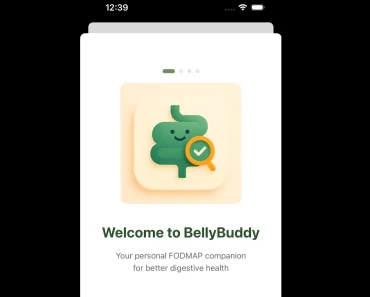
Top Welcome Screens is a React Native Expo UI kit that includes 10 animated splash, welcome, loading, and onboarding screens inspired by recognizable iOS app flows.
Each screen is a full-height TypeScript component with Reanimated timelines, responsive scaling, reduced-motion handling, accessible actions, and a deterministic final state.
Preview

Features
- 10 welcome and onboarding examples from one Expo Router app.
- Exposes named components such as
DuolingoWelcome,StravaWelcome, andSpeakLanguageWelcome. - Provides a typed
WelcomeScreenregistry for selecting screens by ID. - Uses
autoplay={false}for a deterministic final state andreplayKeyto restart a mounted animation. - Sends semantic action identifiers through
onActionPress. - Scales each layout from a shared 640 x 1385 reference canvas.
- Responds to the device reduced-motion preference and keeps actions hidden until their surfaces are visible.
- Includes motion specifications and asset provenance records for the reference implementations.
The 10 Welcome Screens
| UI study | Screen ID | Component | Entrance |
|---|---|---|---|
| Duolingo-inspired | duolingo | DuolingoWelcome | 2.667 s |
| Strava-inspired | strava | StravaWelcome | 6.600 s |
| MyFitnessPal-inspired | myfitnesspal | MyFitnessPalWelcome | 8.867 s |
| Perplexity-inspired | perplexity | PerplexityWelcome | Final state |
| Yazio-inspired | yazio | YazioWelcome | 1.733 s |
| onX Hunt-inspired | onx-hunt | OnxHuntWelcome | 1.467 s |
| Speak & Learn-inspired | speak-learn | SpeakLearnWelcome | 4.940 s |
| Hallow-inspired | hallow | HallowWelcome | 4.500 s |
| SCRL-inspired | scrl | ScrlWelcome | 1.999 s |
| Speak: Language Learning-inspired | speak-language | SpeakLanguageWelcome | 5.070 s |
Use Cases
- A product team can study how a short startup sequence moves from a native splash screen into a React Native welcome surface.
- An onboarding flow can copy one screen and connect its typed semantic actions to existing sign-up, sign-in, or next-step routes.
- A design system review can compare reveal timing, text hierarchy, action gates, and responsive scaling across ten distinct flows.
- A mobile prototype can expose
autoplay={false}in a test harness to inspect the final layout before wiring motion.
How To Use It
Run the Expo Gallery
Use Node.js 22.13 or newer and install Xcode for iOS or Android Studio for Android before starting the native app.
git clone https://github.com/Appllama/top-welcome-screens.git
cd top-welcome-screens
npm ci
npm run ios
The default route opens the Duolingo-inspired screen. The direct routes are:
/duolingo
/strava
/myfitnesspal
/perplexity
/yazio
/onx-hunt
/speak-learn
/hallow
/scrl
/speak-language
Add motion=0 to jump to a deterministic final state. Add a replay query value to restart a mounted route.
npx uri-scheme open "welcome-showcase://strava" --ios
npx uri-scheme open "welcome-showcase://speak-language?motion=0" --ios
Import One Screen
Copy the chosen component, its selected assets, and the shared helpers that the component imports. Keep the demo router, gallery state, and unrelated screens out of the application when the product does not need them.
import {
  DuolingoWelcome,
  type WelcomeActionId,
} from "./src/welcome-screens";
function handleWelcomeAction(actionId: WelcomeActionId) {
  if (actionId === "duolingo.get-started") {
    // Navigate to the product's onboarding flow.
  }
  if (actionId === "duolingo.log-in") {
    // Navigate to the product's sign-in flow.
  }
}
export function Onboarding() {
  return <DuolingoWelcome onActionPress={handleWelcomeAction} />;
}
Select a Screen From the Typed Registry
Use WelcomeScreen when a preview or internal test harness needs to switch between screen IDs.
import {
  WelcomeScreen,
  type WelcomeScreenId,
} from "./src/welcome-screens";
export function WelcomePreview({ name }: { name: WelcomeScreenId }) {
  return (
    <WelcomeScreen
      autoplay={false}
      name={name}
      onActionPress={(actionId) => console.log(actionId)}
    />
  );
}
Use the Source-Distributed Git Dependency
SDK-matched workspaces can install the repository as a Git dependency.
npm install github:Appllama/top-welcome-screensimport { StravaWelcome } from "welcome-screen-gallery";Shared API
The welcome screens share these props:
| Prop | Purpose |
|---|---|
autoplay | Plays the authored entrance. false renders the deterministic final state. |
replayKey | Restarts a mounted animation when its value changes. |
onActionPress | Receives the typed semantic ID for provider, link, sign-in, continue, or close actions. |
onPrimaryPress | Backward-compatible handler for the primary or first-provider action. |
onSecondaryPress | Backward-compatible handler for the secondary or second-provider action. |
onClosePress | Backward-compatible handler for screens with a close control. |
Motion, Loading, and Accessibility
Each layout starts from a 640 x 1385 reference canvas. Reference-like iPhone ratios use a full-bleed cover transform. Materially different portrait ratios use a uniform contain transform.
The shared timeline listens to the device reduced-motion preference and renders the final state immediately. Buttons stay inert and outside the accessibility tree until their surface is visible. The demo preloads fonts and image modules before it shows the animated React layer.
Keep the native Expo splash screen visible while JavaScript, fonts, and selected images load. Hide it after those assets are ready, then mount the animated welcome component. The native splash screen and the animated welcome screen handle different startup moments.
Project Structure
assets/welcome/                 Generated reference artwork by screen
docs/MOTION_SPEC.md             Recovered animation segments
docs/ASSET_PROVENANCE.md        Auditable generated-asset inventory
src/app/                        Expo Router demo
src/store/                      Hidden Zustand gallery state
src/welcome-screens/            Ten components, registry, types, and helpers
src/index.ts                    Source-distributed package entry
FAQs
Q: Is this an Expo template or a component library?
A: It is a runnable Expo Router reference app and a source-distributed set of React Native components. The repository supports copying one screen at a time.
Q: Can I use only one welcome screen?
A: Yes. Import one named component or copy that component with its transitive helpers and assets. The gallery and Zustand state are optional.
Q: How do I restart an animation after the screen stays mounted?
A: Change the replayKey value passed to the selected screen.
Q: What happens when the device uses reduced motion?
A: The shared timeline renders the final state immediately and keeps the screen actions available after the static surface is ready.
Q: Can I ship the reference designs unchanged?
A: No. Replace the referenced brands and content, create a meaningfully unique product design, and complete any required rights review before public or commercial use.